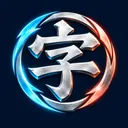
Launch your character spinning top
Turn a kanji, letter, symbol or emoji into a spinning top and choose one of four typefaces. Pick a preset, random or custom opponent. Pull near the blue top and release to launch in the opposite direction. Drag elsewhere and release to launch toward that position. A tap only selects a direction; you can then use the start button. Pull length changes speed, spin and starting energy. Win a stage, then aim and launch again against the next opponent.
Character shape becomes top performance
Your spinning top inherits the shape of its character. Stroke area affects mass and speed: thick shapes are heavier, while slender ones move faster. Mass distribution changes balance, and exposed tips can cause critical hits. Changing the typeface changes the top, even when you use the same kanji.
The last top spinning wins
After launch, both tops spin, move and collide automatically. Spin energy drains over time and on contact with walls or the opponent. The first top to reach zero loses; both reaching zero in the same step is a draw. The battle develops as it runs, rather than awarding a win from character meanings or attribute totals.
Critical hits and fragments
A rapidly spinning tip can land a critical hit when it contacts the opponent at the right angle. It deals 1.32 times normal damage and can break off pieces. The remaining shape then changes mass, balance and collision reach.
Mobile controls and full screen
On mobile, pull near the blue spinning top with your finger and release. On desktop, drag with your mouse. The sliders also set launch angle and power. Use full screen for a larger arena, or reduce effects if play feels slow. No download or account is needed. Battles pause when you leave the tab.